
Quick answer: A Google Business Profile is free and helps your business show up on Google Search and Google Maps. To set one up in Pakistan: check you're eligible, create or claim your listing with your real business name and address (or service area), then complete Google's verification, which is most often a short video for businesses here. Verification can take up to 5 business days after you submit it.
If you run a shop, clinic, restaurant or local service in Pakistan, your Google Business Profile is often the first thing a nearby customer sees before they even visit your website. This guide walks through eligibility, setup, verification (including what to expect from Google's video verification), and the checklist to complete once you're live.
Is your business eligible for a Google Business Profile?
Your business generally needs real contact with customers, in one of these forms:
A virtual office or a P.O. box alone doesn't qualify as a business location, and using a fake address can get your listing suspended.
How do you create or claim your Google Business Profile?
- 1.Sign in to a Google Account you control, ideally one tied to your business.
- 2.Search your business name first. If a listing already exists, claim it rather than creating a new one; duplicates cause problems later.
- 3.Enter your real business name, exactly as customers know it. Don't add keywords, city names or slogans to the name field; Google suspends profiles that do this.
- 4.Choose the most specific category that fits your main business, for example "Bakery" or "Mobile phone repair service," not a generic one.
- 5.Choose how customers reach you:
- If they visit you, enter your full street address and drag the map pin onto your actual entrance. - If you go to them, select the service-area option, hide your address, and list the areas you serve.
- 1.Add your phone number, website and hours, including holiday or Eid changes.
How do you verify your Google Business Profile in Pakistan?
Google decides which verification method it offers you, based on your business type, category and location. You can't choose a specific one, but here's what's available:
| Method | What it involves | Typical review time |
|---|---|---|
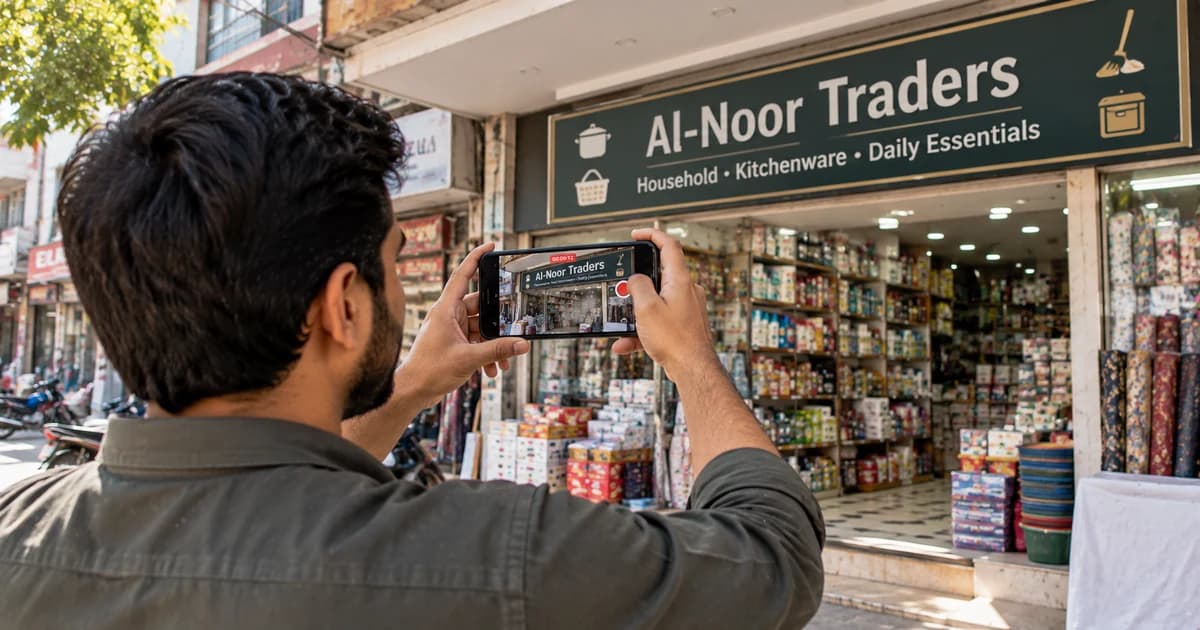
| Video recording | A short, unedited phone video of your signage, entrance, interior and proof you manage the business | Up to 5 business days |
| Phone or SMS | A code sent to your listed business number | Usually immediate |
| A link sent to a business email matching your website domain | Usually immediate | |
| Postcard | A physical postcard mailed to your address with a code | Up to 14 days or longer |
Video verification is the most common method for new and service-area businesses in Pakistan right now. If you're asked for one, record a single continuous video: start outside showing your street and signage, then go inside to show your workspace, stock or equipment, and anything that proves you run the business (a till, a staff area, a utility bill matching your profile's name and address).
While you're waiting for any verification method, don't change your business name, address or category. Editing these can invalidate a code already on its way to you.
What should you complete once you're verified?
How do you protect your profile?
What mistakes should you avoid?
| Mistake | Do this instead |
|---|---|
| Adding keywords to your business name | Use your real, exact business name |
| Creating a duplicate listing | Claim the existing one |
| Using a fake or virtual office address | Use a genuine, eligible location |
| Editing details during postcard verification | Keep everything stable until the code arrives |
| Buying reviews | Ask real customers for honest feedback |
| Expecting instant rankings after verification | Keep improving photos, posts and reviews over time |
Frequently asked questions
Want help with your Google Business Profile and local SEO?
Managing your Google Business Profile properly is part of our SEO services in Pakistan, alongside local content, reviews and monthly reporting, from the Boost plan.
Our team has 7+ years of experience and has built 70,000+ websites, first under our US brand and now in Pakistan.
Check your website's SEO for free
We check 10 areas of your website and send you what to fix, by WhatsApp or email.
Get my free SEO checkLeads marketing at MatjarX and advises business owners on marketing strategy and search.